


OT Security 101, episode 2. Episode 1 covered what operational technology is and why so many OT incidents start on the office network. This one is about the fence: the Purdue model everyone draws on whiteboards, what it can and can’t tell you, and the zones-and-conduits approach in ISA/IEC 62443 that turns a drawing into something you can defend. Plain English for SMEs, IT generalists and engineers, with sources checked on 29 October 2026.
Why segmentation is the next step
Episode 1 ended on a simple observation: attackers rarely start at the controller. They start at an inbox or a forgotten VPN account and follow the connections. If that’s how they travel, the obvious defence is to control the connections. That’s all OT network segmentation is: deciding which parts of the estate are allowed to talk to which, and making the network enforce it.
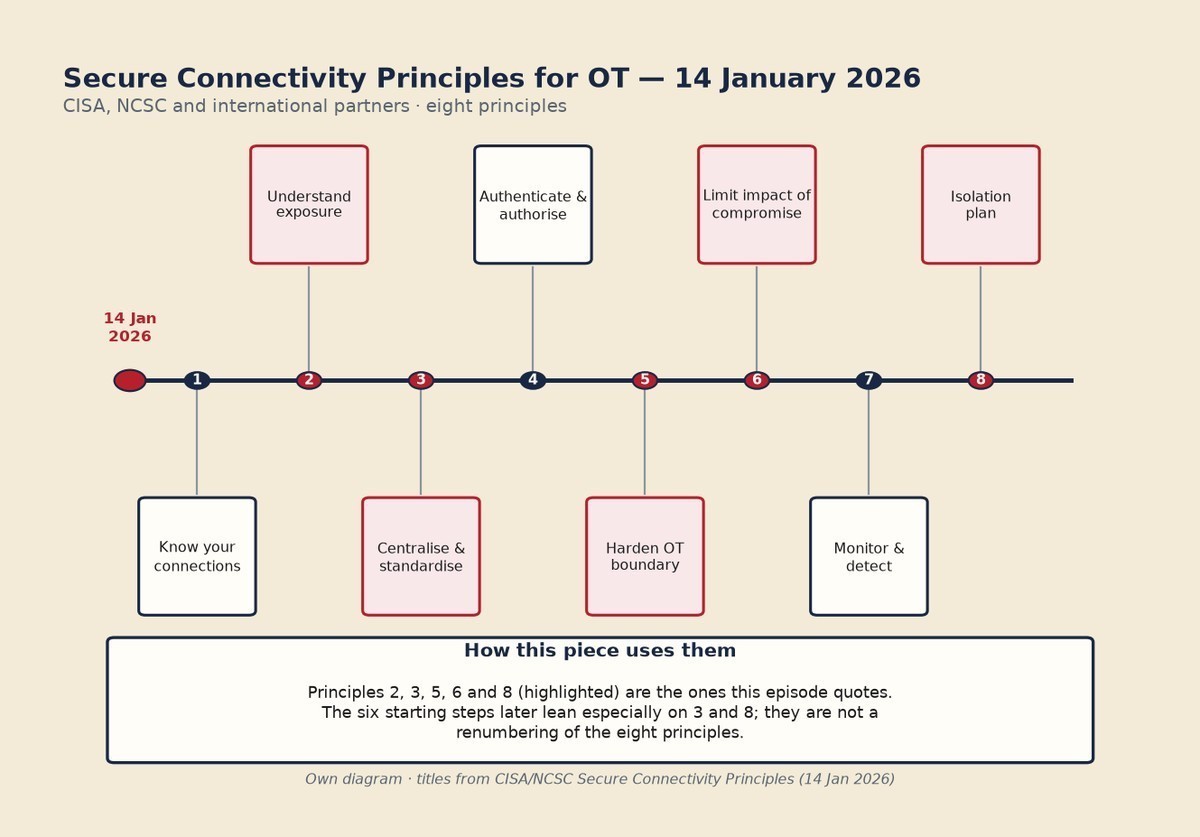
Done well, a compromise in the finance office stays a bad day in the finance office. Done badly, or not at all, the same compromise can reach the engineering laptop that programs the line. The joint Secure Connectivity Principles for Operational Technology (opens in a new tab) guidance from CISA, the NCSC and partners (published 14 January 2026) sets out eight principles for designing and managing OT connectivity; several of them are segmentation by another name, including “Harden your OT boundary”, “Limit the impact of compromise” and “Establish an isolation plan” (NCSC PDF of the same guidance (opens in a new tab)). The six starting steps later in this piece borrow from that framework; they are not a renumbering of the eight principles.
The Purdue model in two minutes
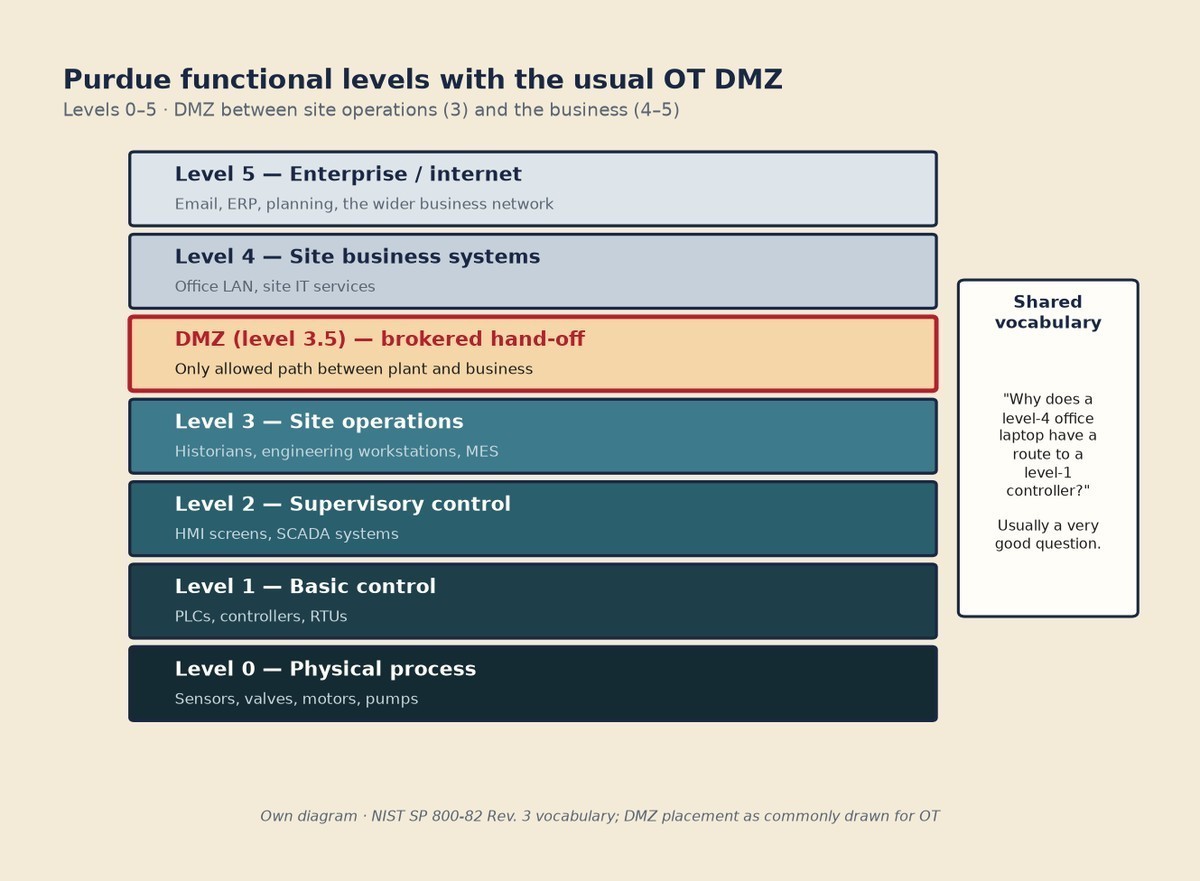
Ask an OT engineer to sketch their site’s network and there’s a good chance you’ll get a stack of horizontal layers. That’s the Purdue model, named after Purdue University’s computer-integrated manufacturing reference model (Williams, 1989), which later fed the PERA architecture work of the early 1990s. Roughly, from the bottom up:
- Level 0, the physical process: the sensors, valves, motors and pumps that touch the real world.
- Level 1, basic control: the PLCs and controllers that read those sensors and drive those motors.
- Level 2, supervisory control: the HMI screens and SCADA systems operators use to watch and adjust a cell or area.
- Level 3, site operations: historians that record process data, engineering workstations and site-wide production systems.
- A DMZ between levels 3 and 4: a buffer network where data is handed between the plant and the business, so neither side connects straight to the other.
- Levels 4 and 5, the business: email, ERP, planning and everything else the office runs, plus the internet beyond it.
The value of the picture is that it gives IT and engineering a shared vocabulary. “Why does a level-4 office laptop have a route to a level-1 controller?” is a question both sides can understand, and it’s usually a very good question. NIST’s Guide to Operational Technology Security (SP 800-82 Rev. 3, September 2023) (opens in a new tab) uses the same layered thinking when it explains defence in depth for OT.
The caveat: a map, not a wall
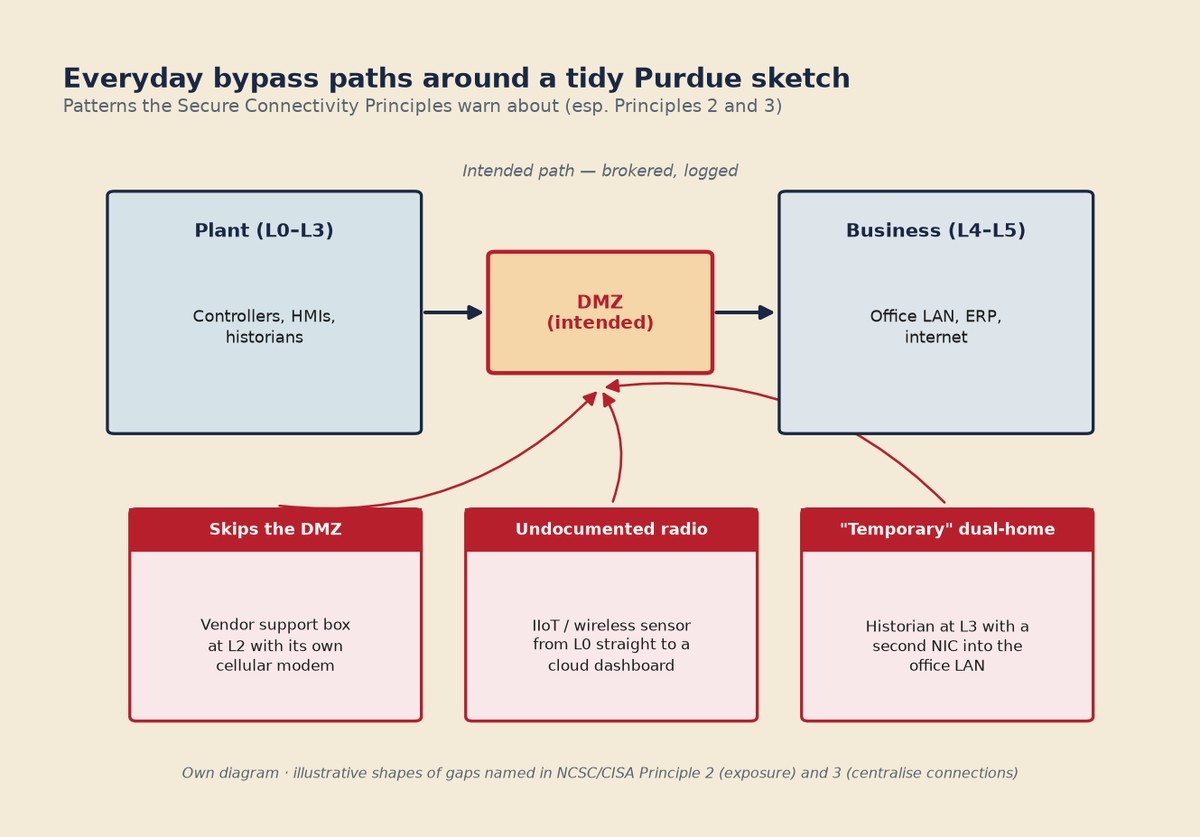
Here’s the part the whiteboard leaves out. The Purdue model began as a reference architecture for manufacturing systems, not as a security standard. It describes functional levels, and real plants rarely match it neatly: remote access, cloud historians and IIoT (industrial internet of things) sensors often reach straight across the levels. Use it as a map of what talks to what, not as proof of separation.
In practice, the gaps look like the ones the Secure Connectivity Principles warn about: undocumented wireless or radio links that never appear on the drawing, vendor remote support that never goes through a brokered DMZ path, and temporary dual-homed links that outlive the temporary label (NCSC PDF of the CISA/NCSC guidance (opens in a new tab), especially Principle 2 on exposure and Principle 3 on centralising connections). A historian with a second network card into the office LAN, a level-2 support box with its own cellular modem, or an IIoT sensor posting straight to a cloud dashboard are the everyday shapes of those gaps. None of them show up on the tidy Purdue sketch, and each one is a way round the fence. Our longer piece, Is OT security Over The Top?, argues that the trouble usually isn’t the model itself but that the separation it implies was never enforced.
Zones and conduits: the ISA/IEC 62443 way
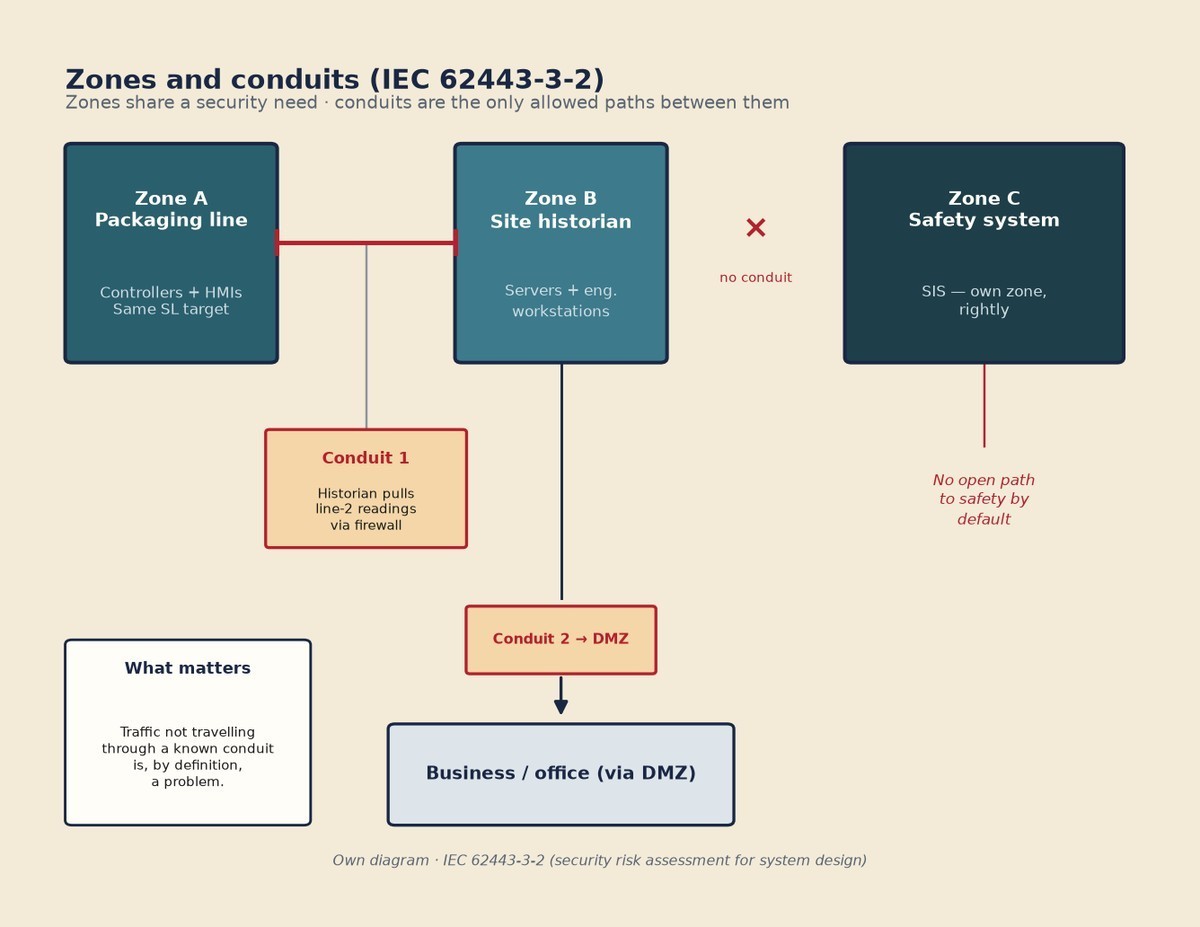
Where Purdue describes layers of function, the ISA/IEC 62443 series of standards (opens in a new tab) describes how to secure them. Its central idea, set out in IEC 62443-3-2 (security risk assessment for system design), is to divide a system into two kinds of thing:
- Zones: groups of assets that share the same security requirements. A packaging line’s controllers and HMIs might be one zone; the site historian and its servers another; the safety system, rightly, a zone of its own.
- Conduits: the defined communication paths between zones. Every conduit is something you deliberately allowed, can describe (“the historian pulls readings from line 2 over this protocol, through this firewall”) and can monitor.
The shift in thinking is subtle but important. Purdue asks “which level is this on?” Zones and conduits ask “what does this need to be protected from, and what is it allowed to talk to?” A zone can sit within one Purdue level or, where it makes sense, span parts of two. What matters is that any traffic not travelling through a known conduit is, by definition, a problem.
Security levels, without the jargon
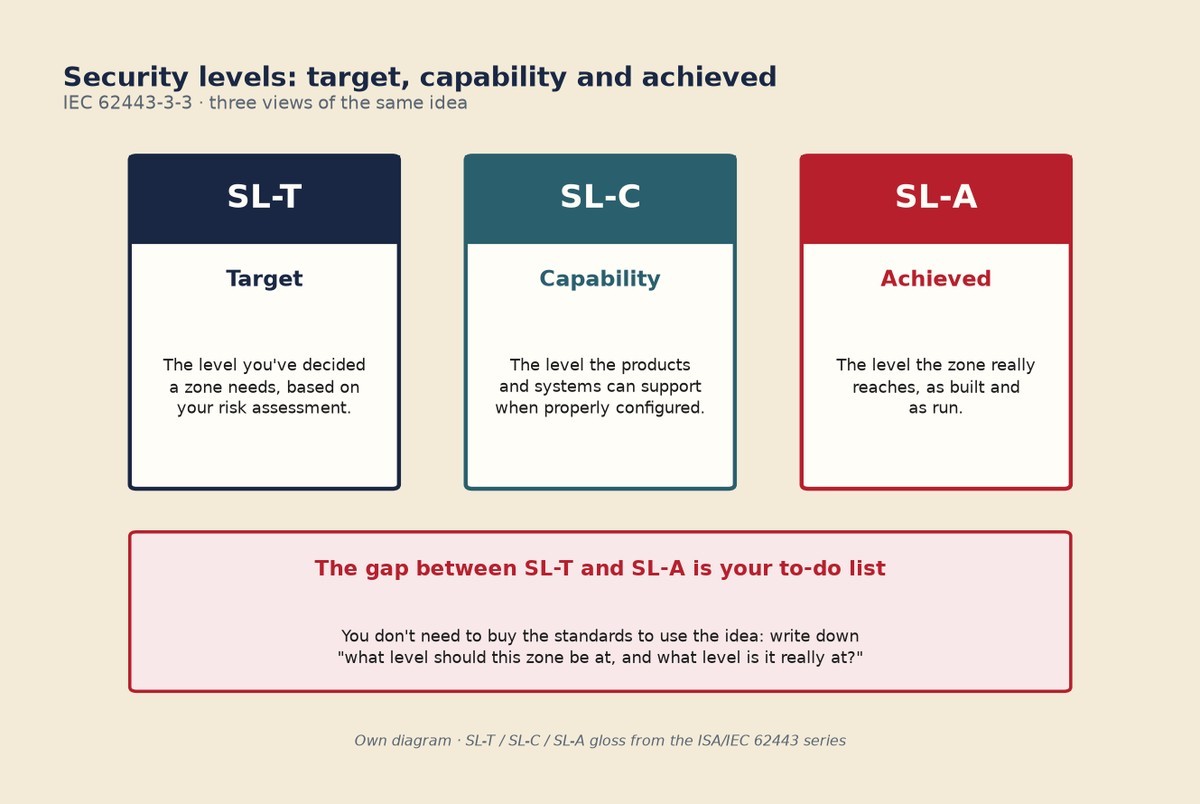
62443 also gives each zone a security level, which is a way of saying how capable an attacker it should withstand. You’ll see three versions of the same idea, and it helps to keep them apart:
- SL-T (target): the level you’ve decided a zone needs, based on your risk assessment.
- SL-C (capability): the level the products and systems in that zone can actually support when properly configured.
- SL-A (achieved): the level the zone really reaches, as built and as run.
The gap between target and achieved is your to-do list. The system requirements that sit behind these levels are in IEC 62443-3-3. You don’t need to buy the standards to use the idea: writing down “what level should this zone be at, and what level is it really at?” is a useful exercise on its own.
Who does what
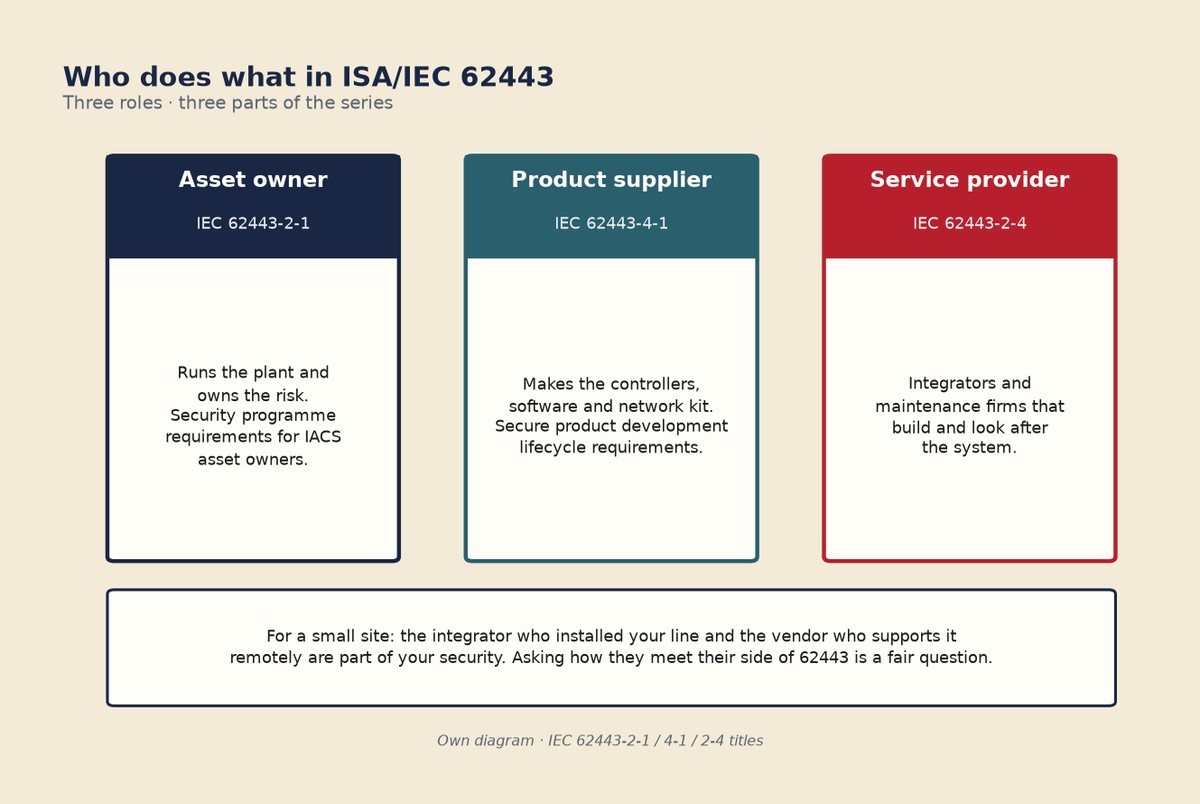
62443 is also clear that security isn’t one party’s job. It names three roles:
- Asset owner: the organisation that runs the plant and owns the risk. The security programme for the asset owner is covered in IEC 62443-2-1.
- Product supplier: the maker of the controllers, software and network kit. Its secure development process is covered in IEC 62443-4-1.
- Service provider: the integrators and maintenance firms that build and look after the system. Their security requirements are in IEC 62443-2-4.
For a small site, the practical point is this: the integrator who installed your line and the vendor who supports it remotely are part of your security, whether or not the contract says so. Asking them how they meet their side of 62443 is a fair question.
Where to start on a real site
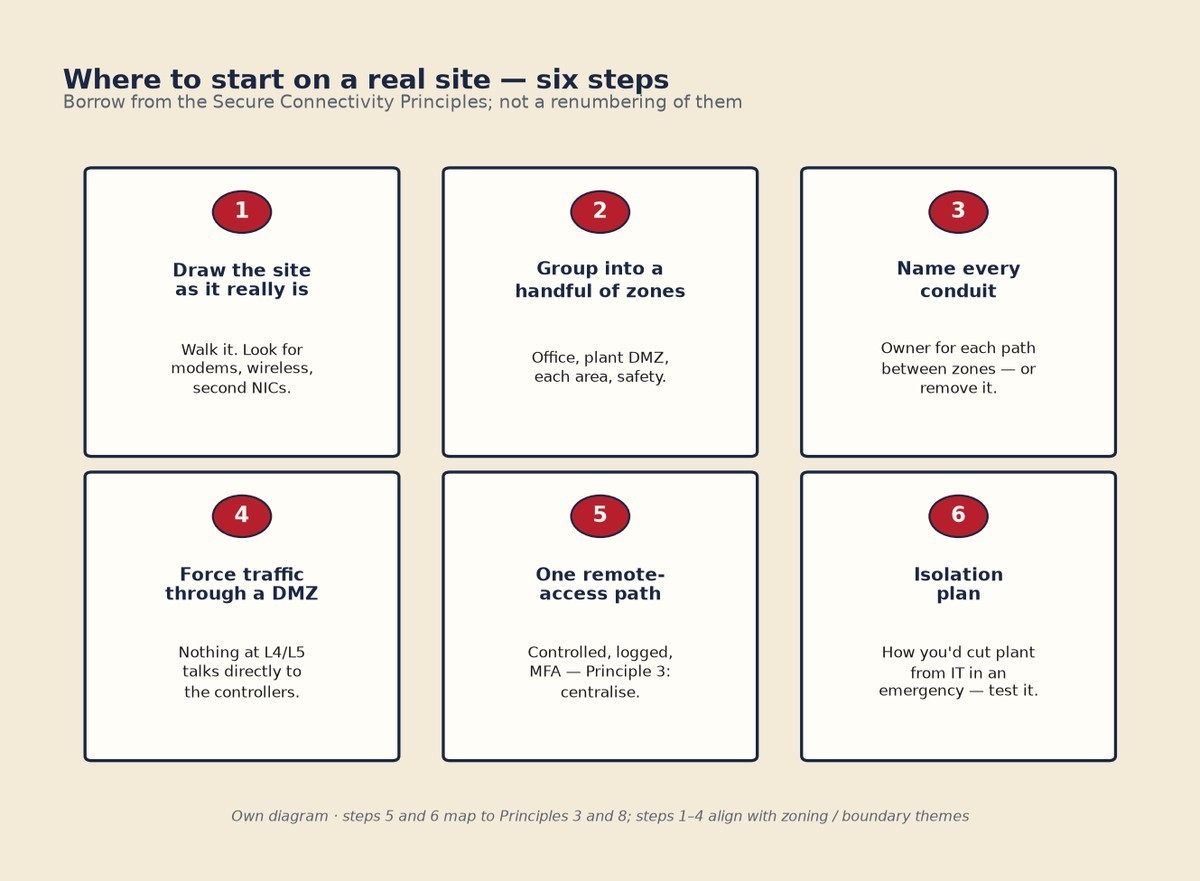
You don’t need a consultant or a new firewall to begin. You need the asset list from episode 1 (CISA’s Asset Inventory Guidance (opens in a new tab), published 13 August 2025, is the free starting point) and an honest drawing of what connects to what. Then:
- Draw the site as it really is, not as the original design said. Walk it if you have to, and look for modems, wireless links and second network cards.
- Group assets into a handful of zones. Start coarse: office, plant DMZ, each production area, safety systems.
- List every path between zones and turn each one into a named conduit with an owner, or remove it.
- Put the business-to-plant traffic through a DMZ so nothing at levels 4 and 5 talks directly to the controllers.
- Route remote access through one controlled, logged, MFA-protected path, which is what the Secure Connectivity Principles mean by centralising and standardising connections.
- Decide how you’d cut the plant off from IT in an emergency, and test it. That’s the guidance’s isolation plan, and it answers episode 1’s question about whether the plant can run, or stop safely, on its own.
The checklist
OT Security 101: segmentation questions for any site (print or pin this; based on ISA/IEC 62443, NIST, CISA and NCSC guidance, checked 29 October 2026)
- ☐ Does our network drawing match what’s really installed, including modems and wireless links?
- ☐ Have we grouped assets into zones with a stated reason for each?
- ☐ Is every connection between zones a named conduit with an owner?
- ☐ Can anything in the office reach a controller without passing through a DMZ?
- ☐ Is there exactly one way in for remote access, and is it logged and protected by MFA?
- ☐ Do our integrators and vendors know which zones they may touch, and how?
- ☐ Do we have a tested plan to isolate the plant from IT in an emergency?
Free guidance to read next
- Secure Connectivity Principles for Operational Technology (opens in a new tab) (CISA, NCSC and partners, 14 January 2026), the eight principles in full.
- NIST SP 800-82 Rev. 3 (opens in a new tab) (September 2023), especially its sections on OT security architecture.
- ISA’s overview of the ISA/IEC 62443 series (opens in a new tab), for how the parts fit together.
- The NCSC’s operational technology collection (opens in a new tab) for UK organisations.
If you missed the start of the series, OT Security 101: what OT is and why incidents start in IT covers the basics this piece builds on.
Follow Cyber-Threat.net RSSFeedly (opens in a new tab)X (opens in a new tab)Bluesky (opens in a new tab)LinkedIn (opens in a new tab)